
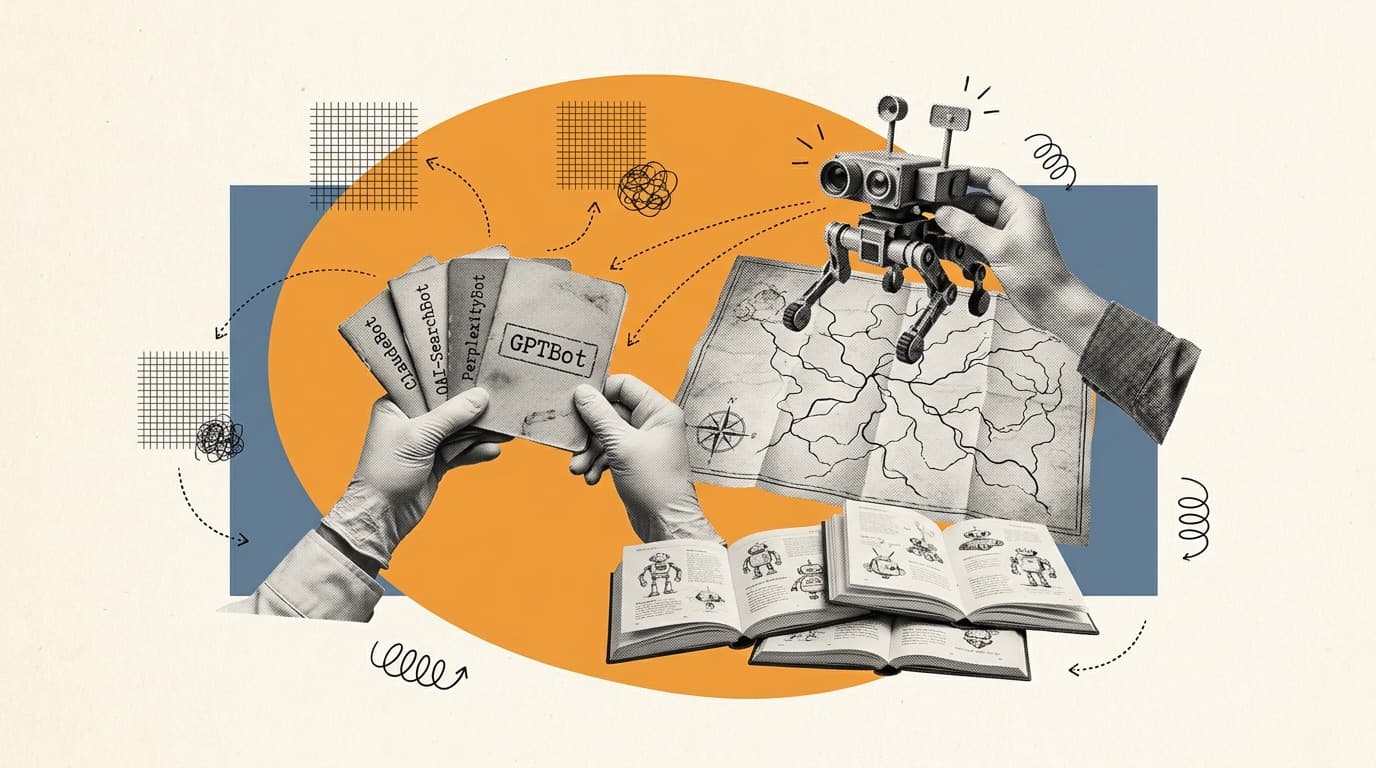
If you've opened a server log in the last twelve months you've probably seen a handful of crawler user agents that didn't exist two years ago. GPTBot, OAI-SearchBot, ChatGPT-User, ClaudeBot, Claude-User, Claude-SearchBot, PerplexityBot, Perplexity-User, Google-Extended, Bytespider, Meta-ExternalAgent, Applebot-Extended, Amazonbot. Some of these crawl content to train AI models. Some retrieve pages live when a user asks an AI assistant a question.
The two categories look the same in your logs but they do completely different things, and getting the distinction wrong is the single most common reason a brand quietly disappears from ChatGPT or Claude search without anyone noticing.
This is a working reference for every major AI crawler user agent active in 2026. Each entry includes the exact user-agent string, what the crawler does, whether you should allow or block it, and the practical reason. Followed by a robots.txt template that gets the allow/block balance right, the three most common mistakes, and a quick guide to verifying a crawler is what it claims to be.
Quick reference: every major AI crawler in one table
| Crawler | Operator | Purpose | Affects AI visibility? | Recommended default |
|---|---|---|---|---|
| GPTBot | OpenAI | Training crawl | No (training only) | Allow if comfortable with training use, block otherwise |
| OAI-SearchBot | OpenAI | ChatGPT search indexing | Yes (citations in ChatGPT) | Allow |
| ChatGPT-User | OpenAI | User-initiated fetches | Yes (when users paste your URL) | Allow |
| ClaudeBot | Anthropic | Training crawl | No (training only) | Allow if comfortable with training use, block otherwise |
| Claude-SearchBot | Anthropic | Claude search indexing | Yes (citations in Claude) | Allow |
| Claude-User | Anthropic | User-initiated fetches | Yes (when users paste your URL) | Allow |
| Google-Extended | Opt-out token for Gemini training | No (does not crawl) | Opt-out unless you want training use | |
| Googlebot | Regular search + AI Overviews / AI Mode | Yes (and SEO) | Allow | |
| PerplexityBot | Perplexity | Indexing crawl | Yes (citations in Perplexity) | Allow |
| Perplexity-User | Perplexity | User-initiated live retrieval | Yes (live answers) | Allow |
| Applebot-Extended | Apple | Opt-out token for Apple Intelligence | No (does not crawl) | Opt-out unless you want training use |
| Amazonbot | Amazon | Alexa + Amazon AI products | Limited | Allow |
| Meta-ExternalAgent | Meta | Training crawl | No (training only) | Allow or block, low visibility impact today |
| Bytespider | ByteDance | Training crawl, often ignores robots.txt | Limited | Block or rate-limit (known compliance issues) |
| CCBot | Common Crawl | Open dataset used by many models in training | Indirect (training data) | Allow unless training-averse |
The single most useful distinction in that table is the AI visibility column. Two flavors of crawler reach your site: ones that train models (GPTBot, ClaudeBot, Google-Extended, Bytespider, Applebot-Extended, Meta-ExternalAgent, CCBot) and ones that retrieve pages when a real user or search feature needs them (OAI-SearchBot, ChatGPT-User, Claude-SearchBot, Claude-User, PerplexityBot, Perplexity-User, Googlebot). The training group affects what models know about you in two years. The retrieval group affects what they say about you right now.
OpenAI crawlers: GPTBot, OAI-SearchBot, and ChatGPT-User
OpenAI runs three separate crawlers and each can be controlled independently in robots.txt. Most of the SEO advice from 2024 collapsed all three into 'should I block GPTBot?' and got the answer wrong because the question was wrong.
GPTBot is the training crawler. It fetches public content that may be used to train OpenAI's future models. Blocking it removes your site from future training data; it does not affect ChatGPT search results or live ChatGPT fetches. The allow, block and verification decisions for this one crawler get their own treatment in our GPTBot guide.
User-agent string:
Mozilla/5.0 AppleWebKit/537.36 (KHTML, like Gecko); compatible; GPTBot/1.1; +https://openai.com/gptbot
OAI-SearchBot is the search indexer. It crawls and indexes content so ChatGPT's search feature can cite your pages when users ask questions. If you block OAI-SearchBot, you remove yourself from ChatGPT search citations — a direct AI visibility loss. This is not a training crawler.
User-agent string:
Mozilla/5.0 AppleWebKit/537.36 (KHTML, like Gecko); compatible; OAI-SearchBot/1.0; +https://openai.com/searchbot
ChatGPT-User is the user-initiated fetcher. It only retrieves a page when a real human asks ChatGPT (or a Custom GPT) to visit a specific URL. Blocking it means a user pasting your URL into ChatGPT and asking for a summary gets nothing.
User-agent string:
Mozilla/5.0 AppleWebKit/537.36 (KHTML, like Gecko); compatible; ChatGPT-User/1.0; +https://openai.com/bot
OpenAI publishes the full list at developers.openai.com/api/docs/bots and notes that robots.txt changes usually take effect within 24 hours.
Anthropic crawlers: ClaudeBot, Claude-User, and Claude-SearchBot
Anthropic runs the same three-bot pattern as OpenAI, plus a fourth for the Claude Code CLI. Each can be controlled independently. Anthropic clarified the structure in 2025 after months of confusion in industry guidance.
ClaudeBot is the training crawler. Used to gather content that may train future Claude models.
User-agent string:
Mozilla/5.0 AppleWebKit/537.36 (KHTML, like Gecko; compatible; ClaudeBot/1.0; +claudebot@anthropic.com)
Claude-SearchBot is the search indexer. Equivalent of OAI-SearchBot. Powers citations in Claude's search results.
User-agent string:
Mozilla/5.0 AppleWebKit/537.36 (KHTML, like Gecko; compatible; Claude-SearchBot/1.0; +Claude-SearchBot@anthropic.com)
Claude-User is the user-initiated fetcher. Triggered when a Claude user asks Claude to fetch a specific URL.
User-agent string:
Mozilla/5.0 AppleWebKit/537.36 (KHTML, like Gecko; compatible; Claude-User/1.0; +Claude-User@anthropic.com)
You may also see legacy identifiers anthropic-ai and Claude-Web in older logs. Both are deprecated. Anthropic's official documentation is in their help center.
Google's AI crawlers: Google-Extended (and why it isn't enough)
Google's AI footprint is structurally different from OpenAI's or Anthropic's. There is no dedicated 'GeminiBot' that crawls separately. Google's AI products (Gemini, AI Overviews, AI Mode) reach your content through the same Googlebot that's been crawling the web since 1998. Google-Extended is not a crawler; it's an opt-out token you place in robots.txt to tell Google not to use your content for Gemini training. Googlebot still crawls you. AI Overviews and AI Mode still use your content. You can't opt out of those without losing your Google search visibility entirely.
Practically, this means: if you only allow Googlebot in robots.txt, AI Overviews and AI Mode are already reading you. If you want to block training use, add a Google-Extended disallow:
User-agent: Google-Extended
Disallow: /
But understand this only opts out of training, not retrieval. The other major engines need their search crawlers (OAI-SearchBot, Claude-SearchBot, PerplexityBot) explicitly allowed to surface you at all.
Perplexity crawlers: PerplexityBot vs Perplexity-User
Perplexity runs two distinct crawlers and the difference matters more than for any other engine, because Perplexity's whole product design is citation-first.
PerplexityBot is the indexer. Periodically crawls your site to populate Perplexity's source pool. If your site is missing from PerplexityBot's index, you're invisible in Perplexity's answers for any query Perplexity doesn't decide to fetch live.
Perplexity-User is the live retriever. When a user asks Perplexity a question and the system needs fresh data, Perplexity-User fetches relevant pages in real time. Blocking it means recent updates on your pages never reach Perplexity answers.
The two work together. Blocking PerplexityBot but allowing Perplexity-User means Perplexity only fetches you when it already happens to know about you. Blocking both means full invisibility.
Apple, Amazon, Meta, ByteDance, and Common Crawl
Applebot-Extended is Apple's training opt-out token, equivalent in spirit to Google-Extended. Applebot itself is Apple's general crawler (Siri, Spotlight). Apple Intelligence uses content reached through Applebot, controlled via the Applebot-Extended token.
Amazonbot crawls for Alexa and Amazon's AI product surfaces. Volume is modest for most sites, but ecommerce listings on Amazon-adjacent surfaces benefit from allowing it.
Meta-ExternalAgent is Meta's training crawler for Llama and Meta AI. Distinct from meta-externalfetcher (user-initiated). Both have limited direct visibility impact today, since Meta AI's distribution channels are mostly inside Meta-owned apps.

Want to get recommended by AI?
Check your AI search visibility, then let the Honeyb agent write, fix, and earn what gets you recommended. Free to start.
Bytespider is ByteDance's training crawler. It has a documented history of ignoring robots.txt directives and aggressive crawl rates. Most site owners block or rate-limit it at the WAF layer rather than rely on robots.txt compliance.
CCBot is the Common Crawl crawler. Common Crawl publishes a public open dataset used by many LLMs as training input. Blocking CCBot removes you from a wide swath of future model training. Less directly relevant to AI visibility this quarter than to AI visibility three years from now.
Sample robots.txt: allow the engines that matter, control the ones that don't
The template most brand teams should start from. Allows every retrieval crawler (the ones that drive AI visibility this week), and leaves training-only crawlers to the team's own preference. Comment out or remove lines depending on what your team has decided about training use.
```text # robots.txt template for AI visibility, 2026 # Allows every retrieval/search crawler.
Permits training crawlers by default; # uncomment Disallow lines to opt out of training use.
# OpenAI User-agent: GPTBot Allow: / # Disallow: / # uncomment to opt out of OpenAI training
User-agent: OAI-SearchBot Allow: /
User-agent: ChatGPT-User Allow: /
# Anthropic User-agent: ClaudeBot Allow: / # Disallow: / # uncomment to opt out of Anthropic training
User-agent: Claude-SearchBot Allow: /
User-agent: Claude-User Allow: /
# Google (training opt-out only; Googlebot must stay allowed) User-agent: Google-Extended Allow: / # Disallow: / # uncomment to opt out of Gemini training
# Perplexity User-agent: PerplexityBot Allow: /
User-agent: Perplexity-User Allow: /
# Apple User-agent: Applebot-Extended Allow: / # Disallow: / # uncomment to opt out of Apple Intelligence training
# Amazon User-agent: Amazonbot Allow: /
# Meta User-agent: Meta-ExternalAgent Allow: / # Disallow: / # uncomment to opt out of Meta AI training
# ByteDance (known robots.txt compliance issues; consider WAF block too) User-agent: Bytespider Disallow: /
# Common Crawl (open dataset used by many models) User-agent: CCBot Allow: /
# Add sitemap reference Sitemap: https://www.example.com/sitemap.xml ```
The three most common mistakes
Across hundreds of sites we've looked at, three mistakes account for most of the AI-visibility damage caused by misconfigured robots.txt.
1. Blocking GPTBot and accidentally blocking ChatGPT search. The 2024-era advice was 'block GPTBot to protect your content from training'. Many teams added that directive and stopped there, not realizing OAI-SearchBot and ChatGPT-User are separate crawlers. The site was still in OpenAI's training set if they'd crawled before the block; ChatGPT search citations stopped flowing immediately. Net effect: zero protection, real visibility loss.
**2. Using User-agent: * to block everything as a catch-all.** A Disallow: / under User-agent: * blocks every crawler that respects robots.txt, including Googlebot. Most teams who do this mean to block AI crawlers specifically. The result is that traditional Google search visibility also drops. Specific user-agent rules override the * block, but only if you remember to add them.
3. Blocking Google-Extended and assuming it stops AI Overviews. Google-Extended only opts out of training use. AI Overviews and AI Mode still use your content via the regular Googlebot. The only way to fully exit Google's AI features is to leave Google entirely, which costs you organic search. There is no middle option.
How to verify a crawler is real and not a fake user agent
Anyone can set their User-Agent header to GPTBot or ClaudeBot and request your pages. Legitimate AI crawlers identify themselves consistently, but a User-Agent header alone isn't proof of authenticity. The reliable test is reverse DNS verification:
1. Take the requesting IP from your access log.
2. Reverse DNS lookup: dig -x <ip>. A real OpenAI crawler resolves to a hostname ending in openaibot.com (or for ClaudeBot, an Anthropic-owned domain).
3. Forward DNS lookup on that hostname: dig <hostname>. The result should match the original IP.
If either step fails, the request is from someone spoofing the user agent, not the actual crawler.
OpenAI publishes their IP ranges and Anthropic publishes verification guidance in their respective docs. For high-traffic sites, automating this check at the WAF layer is more reliable than trusting user-agent strings.
Why most sites should allow most AI crawlers
The default reflex of 'block everything until I understand it' is the wrong default for AI visibility. If your brand is invisible to retrieval crawlers (OAI-SearchBot, Claude-SearchBot, PerplexityBot, Perplexity-User), you don't appear in AI-generated answers for buyers actively asking about your category. The brands winning AI visibility in 2026 are the ones whose content is reachable; the brands losing it are often the ones that blocked too aggressively in 2024 and never re-opened.
Training crawlers are a separate, more philosophical question. Opting out doesn't pull your content from existing model weights; it only affects future training. Most brands benefit from being represented in training data because it shapes how models describe your category, not just whether they cite you live. The exceptions are publishers, image-heavy creative work, and anything you genuinely don't want incorporated into model parameters.
Closing
AI crawlers are not a temporary phenomenon. The number of them will keep increasing, and the visibility consequences of getting the allow/block mix wrong compound week over week. If you're not sure what's currently configured on your domain, the fastest check is to fetch your own robots.txt and walk through this list. If you want to see how AI engines are currently describing your brand based on what they've already crawled, the free AI visibility check runs the same kind of multi-engine query in 30 seconds.
For the broader strategic frame on which crawlers map to which engines and how that translates into prioritization, see our pillar guide on generative engine optimization.