

Google changed the default at I/O 2026. AI Mode, the conversational answer engine it had been testing since March 2025, is now the standard search experience for everyone, powered by Gemini 3.5 Flash and serving over a billion people a month. The familiar list of blue links did not vanish, but it is no longer what most users see first. If you have searched recently and wished the AI answer at the top would step aside, that instinct is widely shared, and the data backs the friction up: a Pew Research study found people click a result link 8% of the time when an AI summary is present, versus 15% when it is not (Pew Research). The honest answer up front is that Google offers no single, permanent off-switch. What exists instead is a set of reliable workarounds, and they still work in June 2026.
A quick definition so the methods make sense. AI Overviews are the AI-generated summaries that sit above a normal results page. AI Mode is the conversational experience that lets you ask multi-part questions and get a longer synthesised answer rather than a page of links. They were once separate things you opted into; after I/O 2026, AI Mode is the default surface and AI Overviews remain woven through standard results. The tactics for sidestepping each overlap heavily, which is convenient, because one good setup defeats both. For the wider context of how this category works, our explainer on what AI search is maps the landscape.
There is no permanent off-switch, and that is by design
Set expectations correctly and the rest of this guide gets easier. Google frames AI Overviews and AI Mode as core parts of Search, in the same family as Featured Snippets and Knowledge Panels, not optional add-ons you disable in your account. As 9to5Google has reported, there is officially no single setting to turn AI Overviews off, and the company positions these answers as standard product behaviour (9to5Google). The scale explains the stance. AI Overviews passed two billion monthly users by mid-2025, and AI Mode crossed a billion within a year of launch. A feature at that scale is not getting a tidy account-level toggle.
That does not mean you are stuck with it. The methods below range from a one-tap filter you use per search to browser-level changes that make AI-free results your default. None is a global account switch, but the better ones deliver a clean, link-only experience nearly every time, and they have survived every Google update since 2024.
Method 1: The Web filter (the simplest fix)
In May 2024 Google added a Web filter to the results page. After you search, look at the row of filters under the search box (All, Images, News, Videos and so on). Tap Web, sometimes tucked under a More menu, and the page reloads with traditional web results only: no AI Overview, no panels, just links. It works on desktop and mobile and needs no setup.
The trade-off is that it is per-search. You tap the filter each time, and Google does not let you set Web as a permanent default from inside Search. For a one-off query where you just want sources, it is the fastest route. For everyday use, the next method makes it stick.
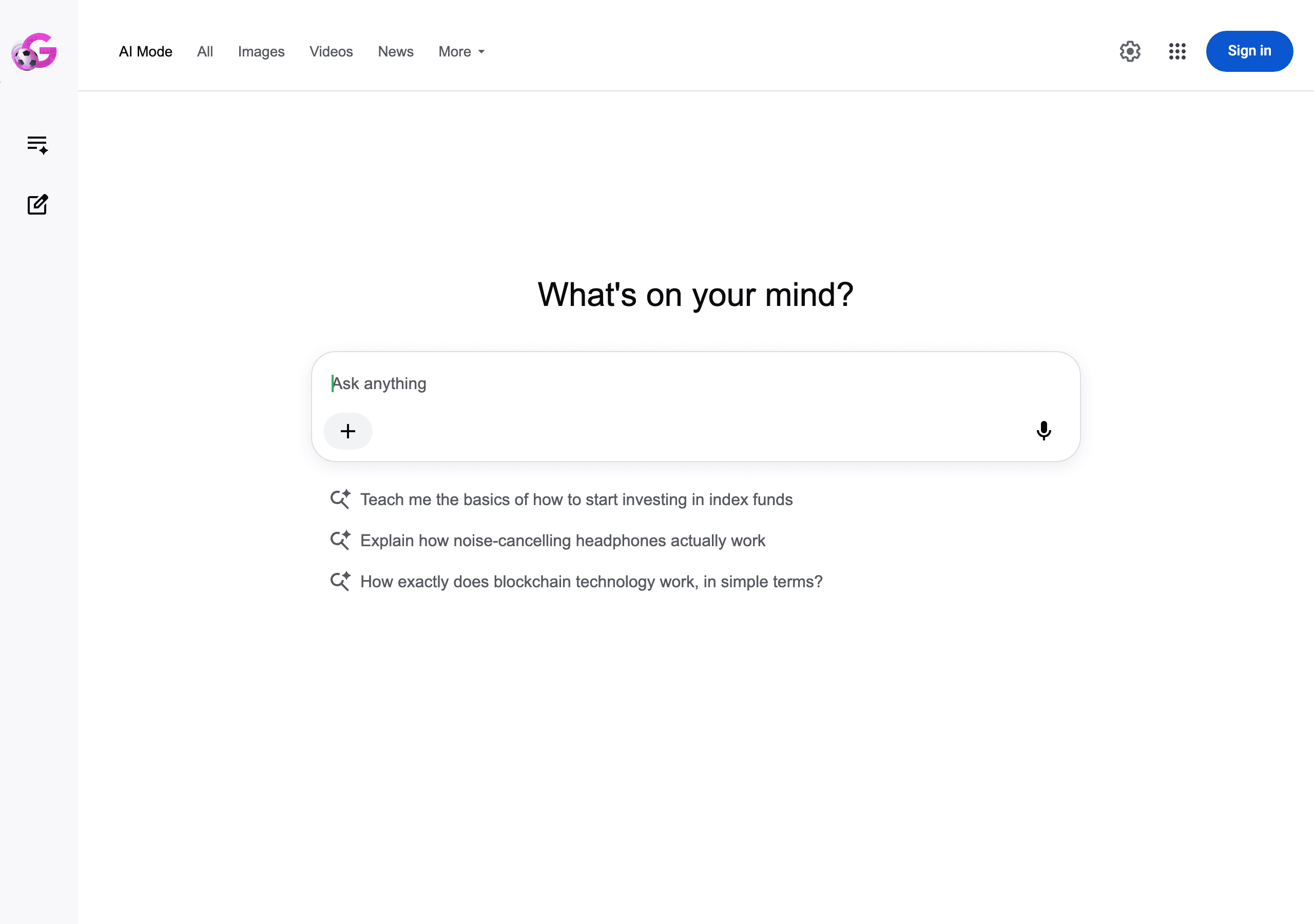
Method 2: The udm=14 parameter (the most reliable)
Behind the Web filter sits a URL parameter: udm=14. Adding &udm=14 to a Google search URL forces the classic, link-only results page. Ernie Smith of the Tedium newsletter popularised it in May 2024 after spotting the new Web filter at that year's I/O, and the project that bundled it became known as the "disenshittification Konami code" for Google (Tedium). Two years and several search overhauls later, it still works reliably in June 2026, because it relies on Google's own server-side filter rather than hiding elements after the page loads.
You can type it manually, but the durable fix is to register a custom search engine in your browser that bakes the parameter in. Set it as your default and every search from the address bar lands on the AI-free page automatically.
| Browser | Custom search URL to add |
|---|---|
| Chrome (desktop) | {google:baseURL}search?q=%s&udm=14 |
| Firefox (desktop and mobile) | google.com/search?udm=14&q=%s |
| Other Chromium browsers | https://www.google.com/search?q=%s&udm=14 |
In Chrome, add this under Settings, Search engine, Manage search engines, then set it as default. If you prefer not to touch settings at all, front-end portals such as udm14.com and tenbluelinks.org append the parameter for you. One caveat is worth knowing: the strict Web view can occasionally strip out local or map results you wanted, so keep a normal Google search to hand for "near me" queries.
Method 3: Browser extensions
If editing search-engine settings feels fiddly, extensions automate the same idea. Free options for Chrome, Firefox and Safari either apply udm=14 automatically, hide the AI Overview block with a content filter, or redirect searches to the Web view, and our roundup of browser extensions that hide AI Overviews compares the better ones. You install once and forget, and most let you toggle the behaviour on and off.
Two practical notes. First, extension quality varies, so prefer well-reviewed, open-source options and read the permissions they request before installing. Second, because Google reshuffles its page structure often, filter-based extensions that match on the DOM can break for a day or two after an update, whereas the udm=14 approach tends to outlast those changes because it uses Google's parameter directly.

Want to get recommended by AI?
Check your AI search visibility, then let the Honeyb agent write, fix, and earn what gets you recommended. Free to start.
Method 4: Search settings and the publisher opt-out (and what they do not do)
During the early rollout, some accounts had a toggle in Google Search Labs (the beaker icon at labs.google.com) to switch AI Overviews experiments off. As of 2026 that control has been removed for most accounts, and even when present it only reduced Overviews in supported cases rather than eliminating them. It is worth a glance, but do not count on it.
There is a separate development that is easy to mistake for a user off-switch and is not one. In June 2026 Google began rolling out, initially to a subset of website owners in the UK, a Search Console toggle that lets publishers decide whether their content is used in AI Overviews and AI Mode. Sites that opt out keep appearing in regular Search and Discover but stop receiving traffic and impressions from AI features; Google says the choice will not be used as a ranking signal and does not affect the separate Gemini app (9to5Google). That is a lever for people who own websites, not for people doing the searching. If you are a searcher, it does nothing for you. If you run a brand, it is a strategic decision, and we return to it below.
Method 5: Switch search engine or use AI-free front-ends
The most complete way to never see a Google AI answer is to not use Google for those queries. Privacy-focused engines and AI-free front-ends return traditional results by default, and several community sites exist purely to give you the "ten blue links" experience on top of a major index. If your goal is simply cleaner, link-first results, switching your default engine removes the problem at the source. The cost is some of Google's personalisation and local features, so many people set a non-AI engine as their default for everyday searching and keep Google for maps and local lookups.
Quick comparison of the methods
| Method | Permanent | Effort | Best for |
|---|---|---|---|
| Web filter | No, per search | Very low | A quick one-off, link-only result |
| udm=14 custom engine | Yes, until changed | Low, one-time setup | Everyday AI-free searching |
| Browser extension | Yes, while installed | Low | People who prefer install-and-forget |
| Labs setting | Mostly removed | N/A | Worth checking, rarely available |
| Switch search engine | Yes | Medium | A clean break from AI answers |
What about AI Mode now that it is the default
Before I/O 2026, avoiding AI Mode was easy because it was a deliberate destination you chose. Now that it is the default surface, the per-page tricks matter more, not less. The practical approach is the same set of tools: the Web filter and a udm=14 custom search engine both drop you onto the classic results page and keep you out of the conversational answer entirely. Google has said users "continue to get a range of results from Search, just like you do today," so the link index is still there underneath; the workarounds simply route you straight to it. A native Classic-versus-AI switch was teased for Chrome at I/O 2026 but is not yet in the stable browser as of June 2026, so for now the parameter remains the most dependable way to opt out of the default. We go deeper on that side of the problem in how to remove AI Mode from Google Search.
What it means for brands when the audience splits
Here is the part that matters if you are responsible for a brand rather than tidying up your own searches. Two trends are pulling in opposite directions. AI answers keep expanding: BrightEdge data shows AI Overviews now approaching half of all tracked queries by early 2026, up from roughly a third a year earlier, a 58% year-on-year rise. At the same time, a measurable group of users deliberately routes around them. The Pew study quantifies the stakes for anyone relying on the click: only 1% of visits ended with someone clicking a source link cited inside the AI summary itself, and users were far more likely to end the session entirely after seeing an AI answer (26% of such pages versus 16% of traditional ones).
Monthly searches (US)
Search demand for "ai search"
The strategic implication is that you cannot pick one channel and ignore the other. The users who opt out still find you through traditional ranking, which is why classic SEO and a strong content footprint still earn their keep. The users who stay in AI Overviews and AI Mode only encounter you if the model chooses to mention or cite your brand, which is a different discipline governed by how AI models decide which brands to recommend. The two are not in opposition. The same well-structured, trustworthy content tends to serve both, a point our piece on how AI search differs from traditional search unpacks in detail.
That is also why the publisher opt-out deserves a sober look rather than a reflexive yes. Removing your site from AI features protects nothing if your competitors stay in and get named in the answer a buyer reads first. For most brands the better move is to earn a fair, accurate representation inside AI answers, which leans heavily on structured content and citations, rather than disappearing from them; our guide to how AI Overviews work and how to appear in them walks through that. Our guide to schema markup for AI visibility covers the technical groundwork, and you can run a quick AI visibility check to see how often the major engines mention you today.
The bottom line
Turning off AI Overviews and AI Mode is really about choosing the right workaround, because Google does not provide a true off-switch and, after I/O 2026, AI Mode is the default rather than an opt-in. For most people, a udm=14 custom search engine or a reputable extension delivers a clean, link-only Google with almost no ongoing effort, and the Web filter covers the occasional one-off. For brands, the more important takeaway is what the opt-out trend reveals: your audience is now split across AI answers and classic results, and being findable in both is the safer strategy. Knowing how often AI engines actually mention you, and how that compares with competitors, is where any sensible plan starts. Spot-checking by hand will not tell you; an AI Overviews rank tracker running on a schedule will.
Sources cited in this report